Ask Squabbit AI
May 13, 2026
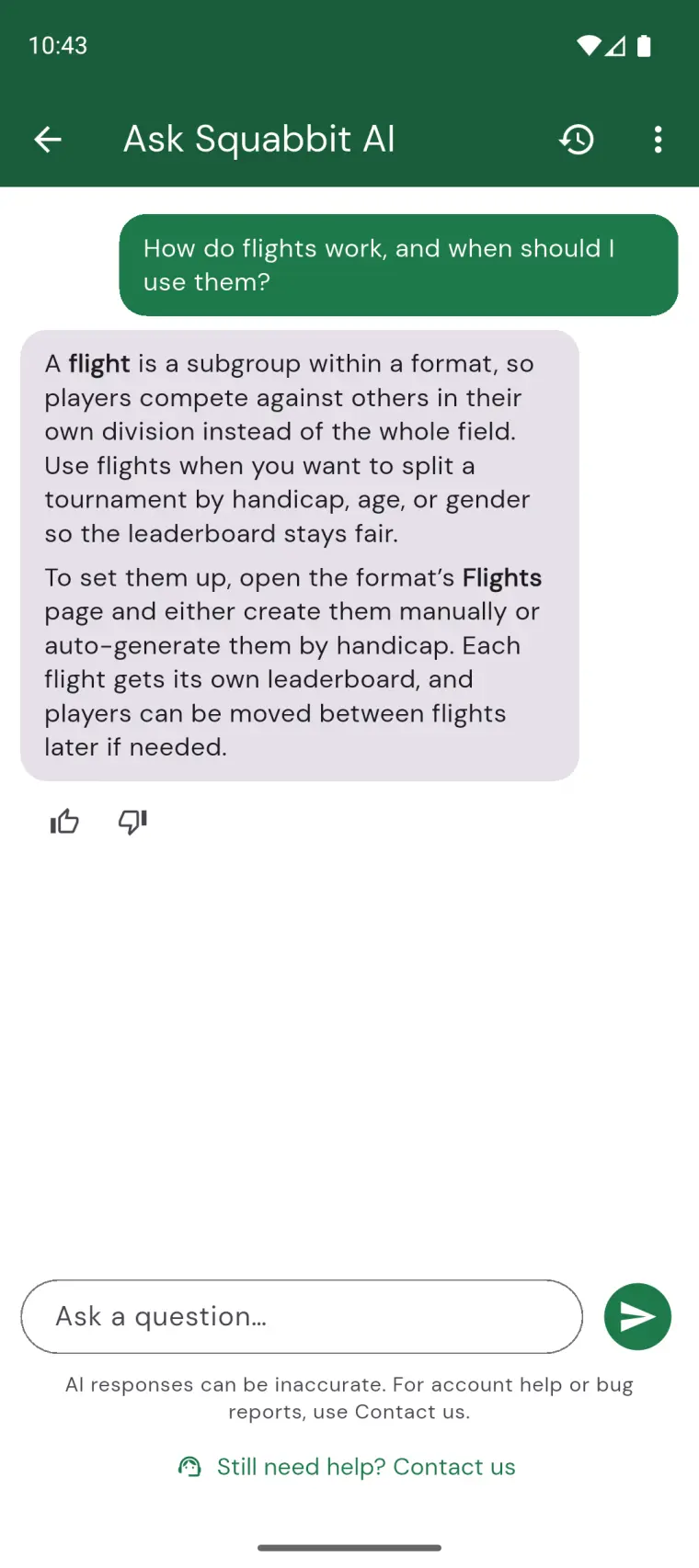
Squabbit now has an in-app AI assistant. Whether you're setting up your first event, picking a scoring format, or wiring up a Ryder Cup with mixed match types across four rounds, you can just ask it.
To use it in the app, tap the sparkle icon at the top of any group page, or open the Help tab. You can also give it a try by tapping below:
Example questions you can ask:
- "How do I set up a Ryder Cup style tournament with 4 rounds?"
- "What's the difference between Stableford and Modified Stableford scoring?"
- "Can I use different handicap percentages for different formats in the same round?"
- "How do flights work, and when should I use them?"
- "How do I add a ghost player to fill out a foursome?"
Past conversations are saved automatically. Tap the history icon in the top right to revisit one. The overflow menu has a New conversation option when you want to start fresh.
One note: the AI is great at explaining how Squabbit works, but for account problems, bug reports, or anything that needs a human, tap the Contact us button at the bottom of the help page. Those go straight to us.