Introducing Scorecard Markers
Mar 9, 2026
Running a tournament where you want someone other than the player entering their scores? Now you can assign scorecard markers to keep scoring official and consistent.
How it works
A scorecard marker is a designated person responsible for entering a player's hole scores during a round. This is a common practice in competitive golf tournaments to ensure accuracy and prevent disputes.
When a marker is assigned, only the marker (and admins) can officially enter the player's scores. The player can still enter their own scores, but they'll show up as unofficial suggestions displayed in orange.
Setting it up
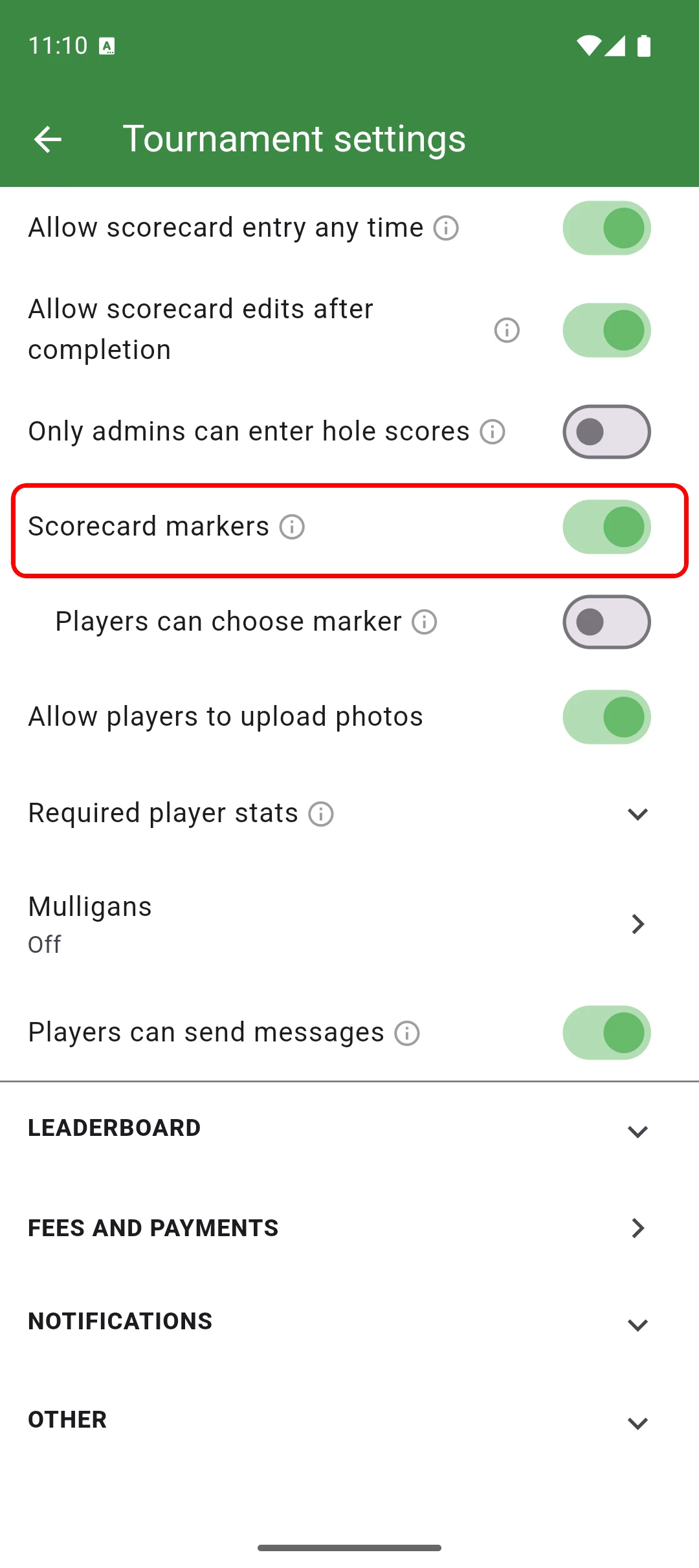
To enable scorecard markers, open your tournament settings and turn on the "Scorecard markers" toggle. You can also choose whether players are allowed to select their own marker.
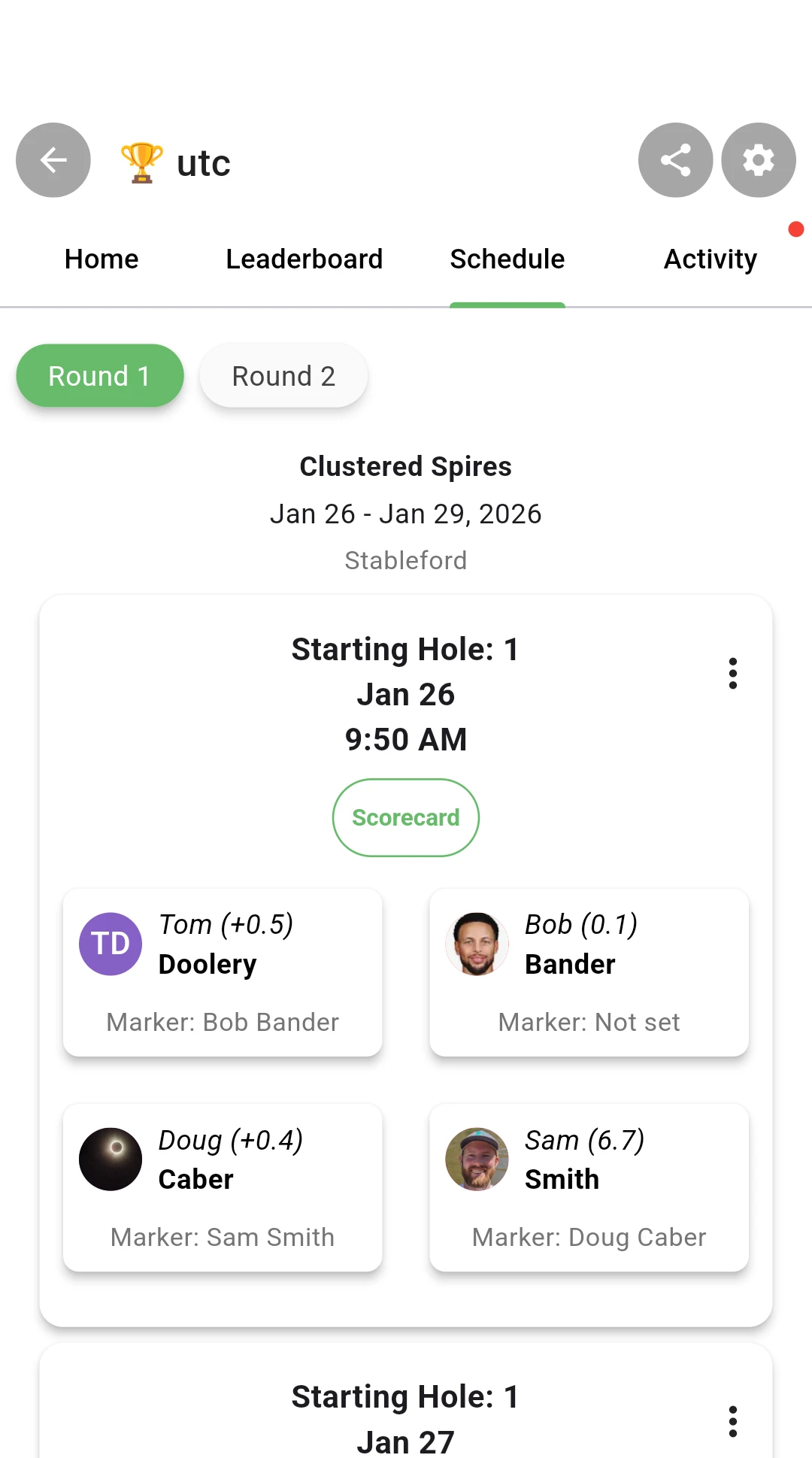
Once enabled, you can assign markers from the tee times view. Tap a tee time and choose "Edit marker" to pick which player in the group will mark another player's card.
Submitting scores
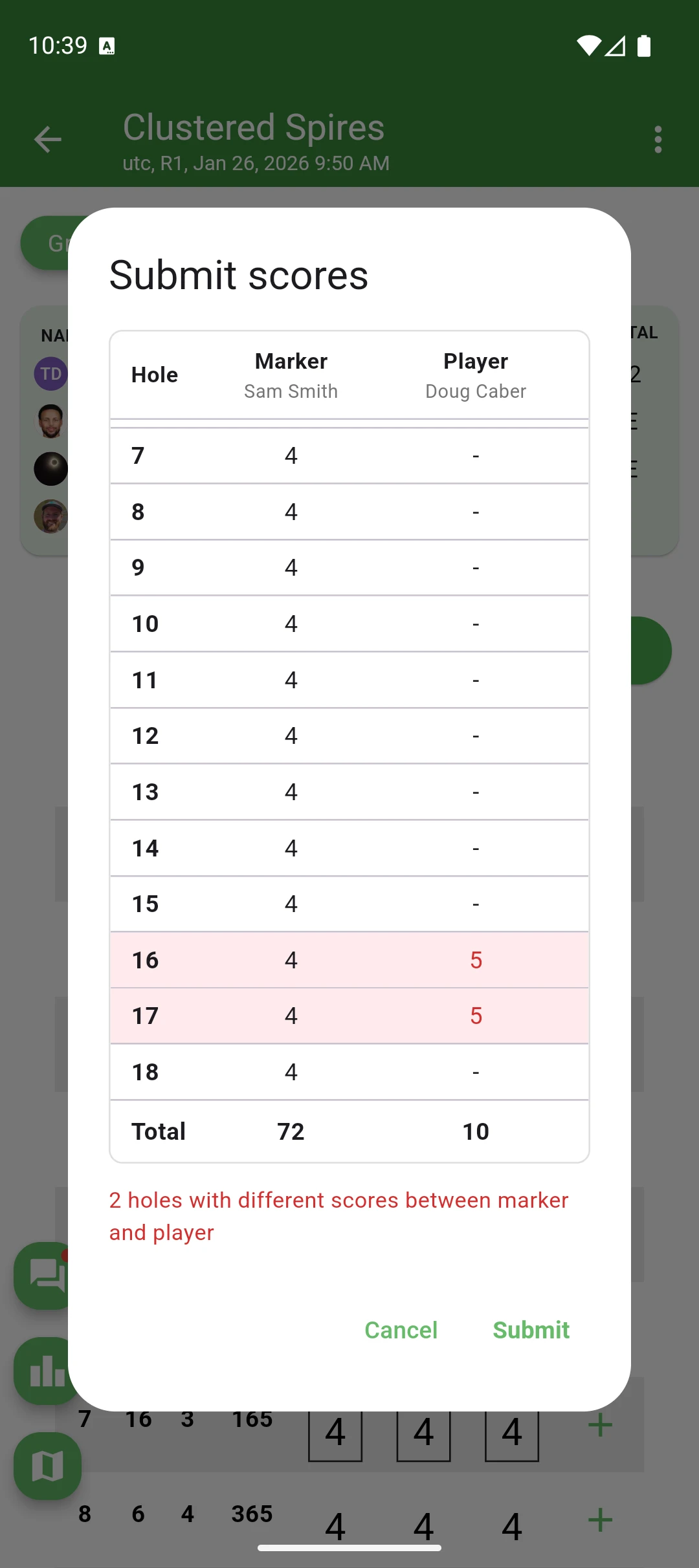
When the marker finishes entering scores for all holes, a "Submit scores" button appears at the top of the scorecard. Tapping it opens a comparison dialog that shows the marker's scores side by side with the player's unofficial scores (if any were entered). Any discrepancies are highlighted in red so they can be reviewed before finalizing.
Once submitted, a lock icon appears next to the player's name and the scores are finalized. Admins can still override scores if needed.