Adding hole notes
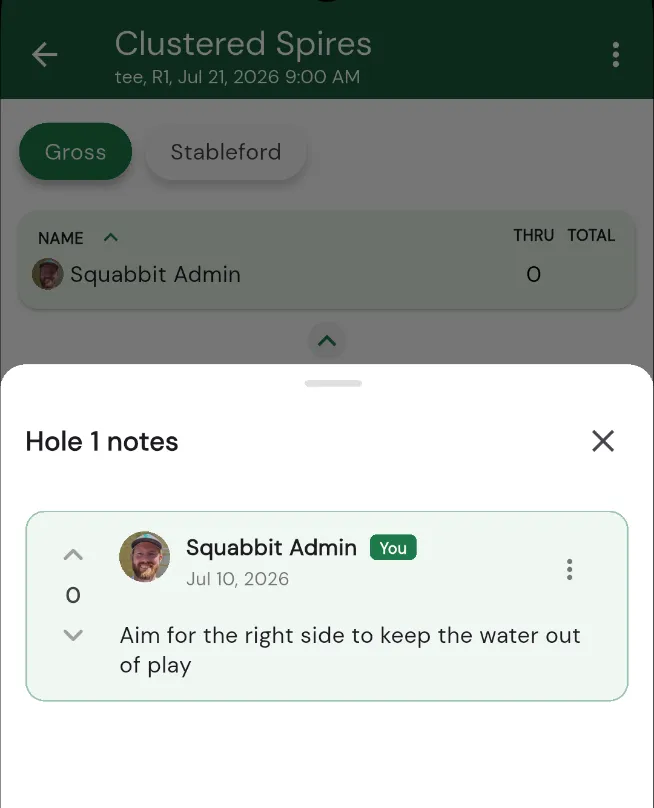
Hole notes let you leave a short note or tip for how to play a specific hole, such as "aim left of the bunker" or "the green slopes hard back to front." They're a simple way to pass along local knowledge to everyone who plays the course.
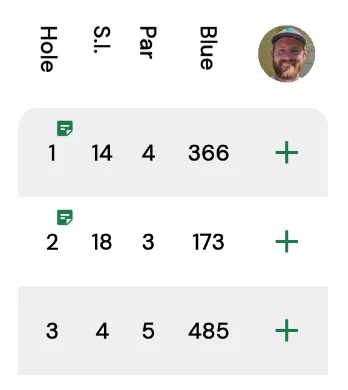
Holes that have notes are marked with a small note icon next to the hole number on the scorecard, so you can see at a glance which holes other players have left tips for.
Private and public notes
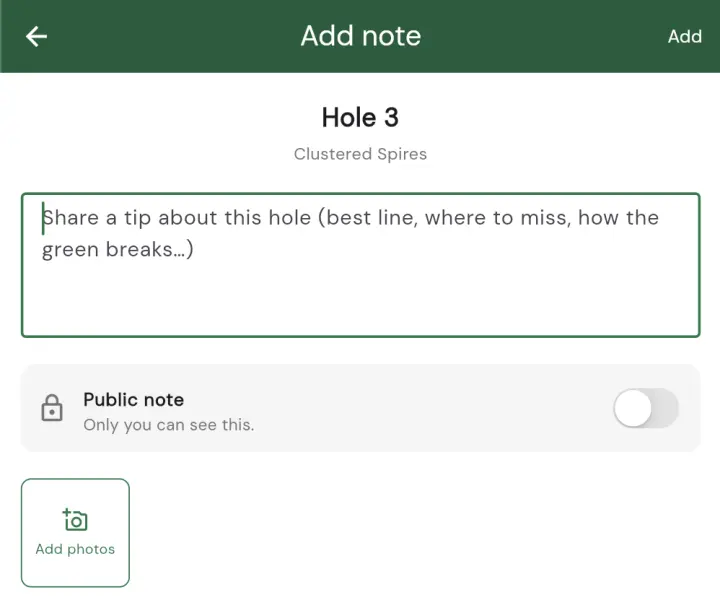
Every hole note is either private or public. A private note is visible only to you, so it's a good spot for personal reminders you don't want to share. A public note is visible to everyone in the group, so the tip you leave shows up for other players and their tips show up for you. Over time a course builds up a helpful set of shared tips written by the people who actually play it.
New notes default to private. When you add a note you can flip it to public with the public/private toggle on the note dialog, and you can change an existing note between private and public at any time.
Voting on the best tips
Notes support voting, so the most useful tips rise to the top. If a note helped you, give it a vote. The notes with the most votes appear first, which keeps the best advice front and centre and pushes less helpful notes down the list.
Reading and adding notes on the scorecard
Hole notes are right where you need them while you play. To read or add one:
- Open the scorecard.
- Tap the hole number for the hole you want.
- Choose Hole notes.
- Read the existing notes, vote on the ones you find helpful, or add your own.