Draft Events
Draft Events is a League Pro feature that lets you set an event up privately, then publish it to your members when it is ready. Members do not see a draft until you publish it, so you can take your time getting the details right without anyone in your league seeing a half finished event.
Why use draft events
Setting up an event well takes a few steps: choosing the course, picking the format and games, entering fees, and lining up the roster. Draft Events lets you do all of that behind the scenes.
Some ways draft events come in handy:
- Line up next month’s events without members seeing dates and details that might still change.
- Get the format, course, and fees exactly right before anyone can register.
- Build several events ahead of time and release them on your own schedule.
How it works
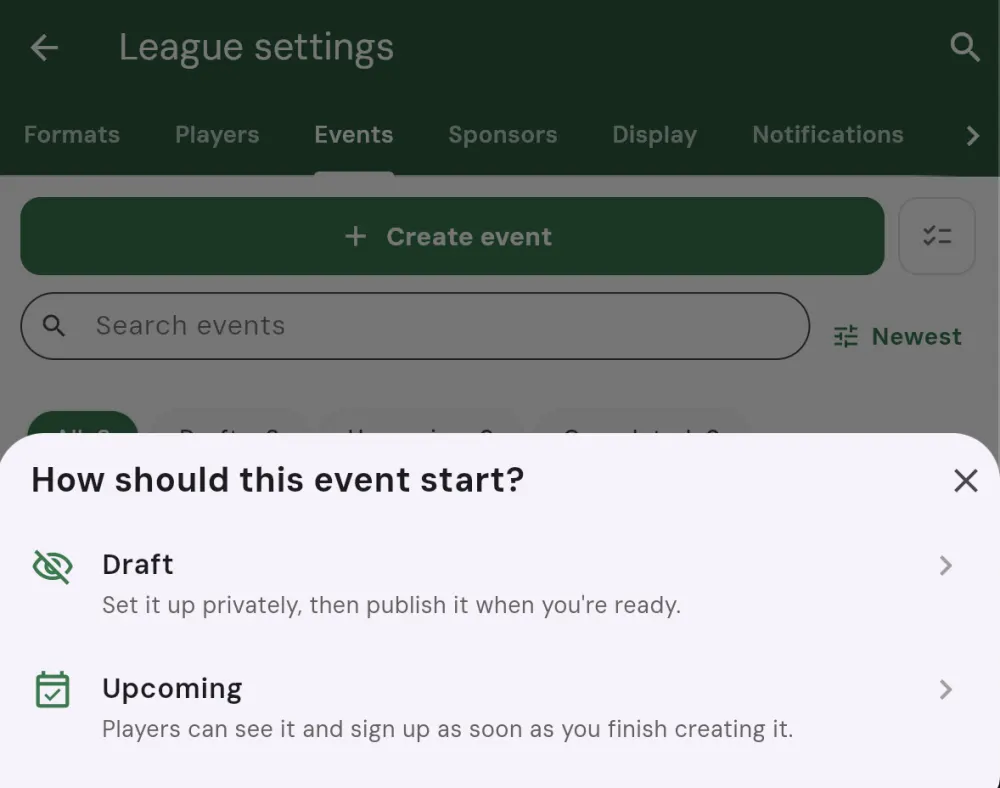
When you create a league event, Squabbit asks how it should start. Choose Draft to set it up privately, or Upcoming to publish it as soon as you finish. A draft event stays hidden from your members: it will not appear in their events list, they will not be notified about it, and they cannot register for it. Only league admins can see it.
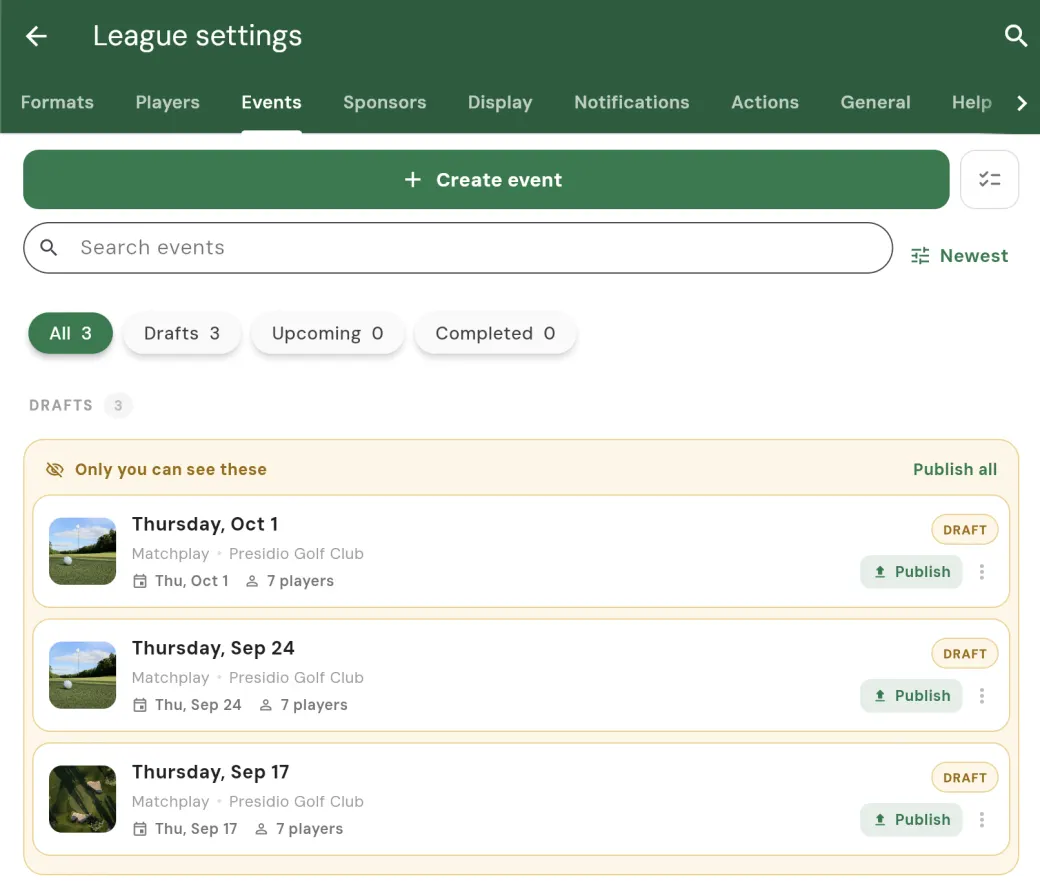
The Events tab shows each event’s status, so you can tell at a glance which events are still drafts and which have been published to your members. You can keep working on a draft for as long as you like.
When the event is ready, use the publish action to make it live. Once published, the event becomes visible to your members, they can see the details and register, and it behaves like any other event.
Scheduling when a draft goes live
You don’t have to publish a draft by hand. With Schedule go-live, a draft publishes itself automatically a set number of days before its own event date, at a time you choose. That lets you build a season of drafts ahead of time and have each one appear to members on its own schedule, without you lifting a finger on the day.
You can schedule go-live for a single draft, or for several at once from the Events tab. See Bulk event actions for scheduling go-live across a batch of drafts.
Publishing several drafts at once
If you have built up a batch of draft events (for example a whole month or season laid out ahead of time), you do not have to publish them one by one. See Bulk event actions for how to publish several drafts together in a single step.
Unlocking Draft Events
Draft Events is part of League Pro. One League Pro subscription unlocks it for every league you run, so you can draft and publish events across all of your leagues without paying per league.
Once League Pro is active, the draft and publish options appear automatically when you create and manage your league events.