Admin Broadcasts
A broadcast lets you, as an admin, email everyone in your group at once. Instead of chasing people down one by one, you write a single message and Squabbit sends it out to every member who has an email address on file. Broadcasts work the same way whether you are running a tournament, a league, or a club.
Use it for the things everyone needs to know: a tee-time change, a reminder to register, a weather call, or a thank-you note after the event wraps up.
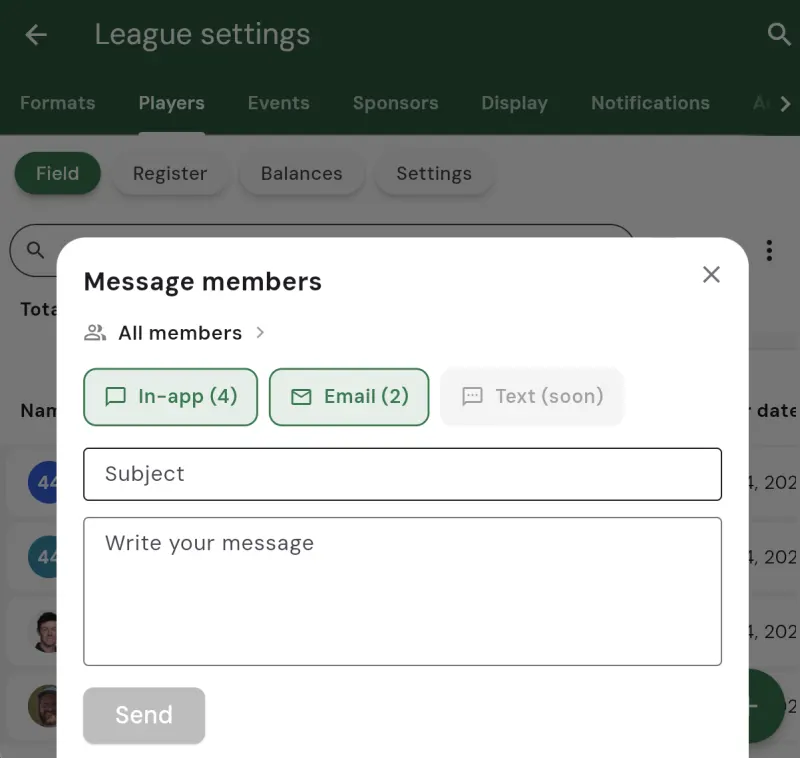
Writing a broadcast
Open the compose sheet and you will see two fields: a subject and a message. Fill them in the way you would any email, then send. The audience is shown at the top, and a count tells you how many members will receive it, so you always know your reach before you hit send.
Who receives it
An email broadcast goes to every member of your group who has an email address on file. The reach count next to the Email option reflects exactly that – the members Squabbit can actually email. Anyone without an email address simply is not counted, and nobody outside your group ever receives it.
A record of everything you have sent
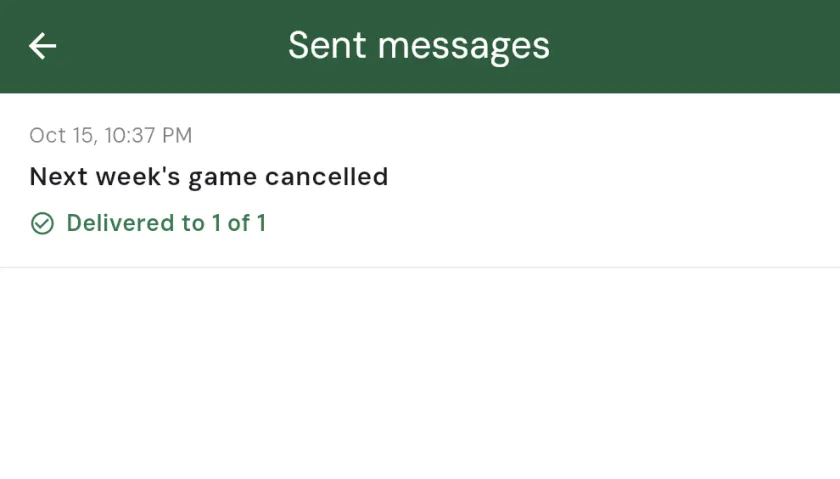
Every broadcast you send is kept in a sent history, so there is always a record of what went out and when. If someone asks “did we ever send that reminder?” you can check instead of guessing.
Unsubscribe and opt-out
Every email broadcast includes an unsubscribe link at the bottom. A member who no longer wants these emails can opt out for themselves, and Squabbit takes care of the rest – they are quietly dropped from future broadcasts, so you never have to manage an opt-out list by hand. This keeps your emails compliant and your members in control of their own inbox.
Where to find it
Open your tournament, league, or club and go to the members list. The compose action is right there for admins, and the sent history lives in the overflow menu (the ··· button) under Sent messages. Both are admin-only – members never see them.
Unlocking broadcasts
Broadcasts are a Pro feature, unlocked by the specific group’s subscription. A tournament unlocks broadcasts with Tournament Pro, a league with League Pro, and a club with Club Pro. Admins always see the compose screen so they can preview the feature, but sending an email broadcast requires that group’s Pro.