The Pace Map
The Pace map is a live map of your course that shows where every group is while your tournament is being played. As an admin you can glance at it and see the whole field at once – who is where, and how the day is moving – without walking the course or calling the starter. It was previously called the course map and then the Field map, and is now the Pace map.
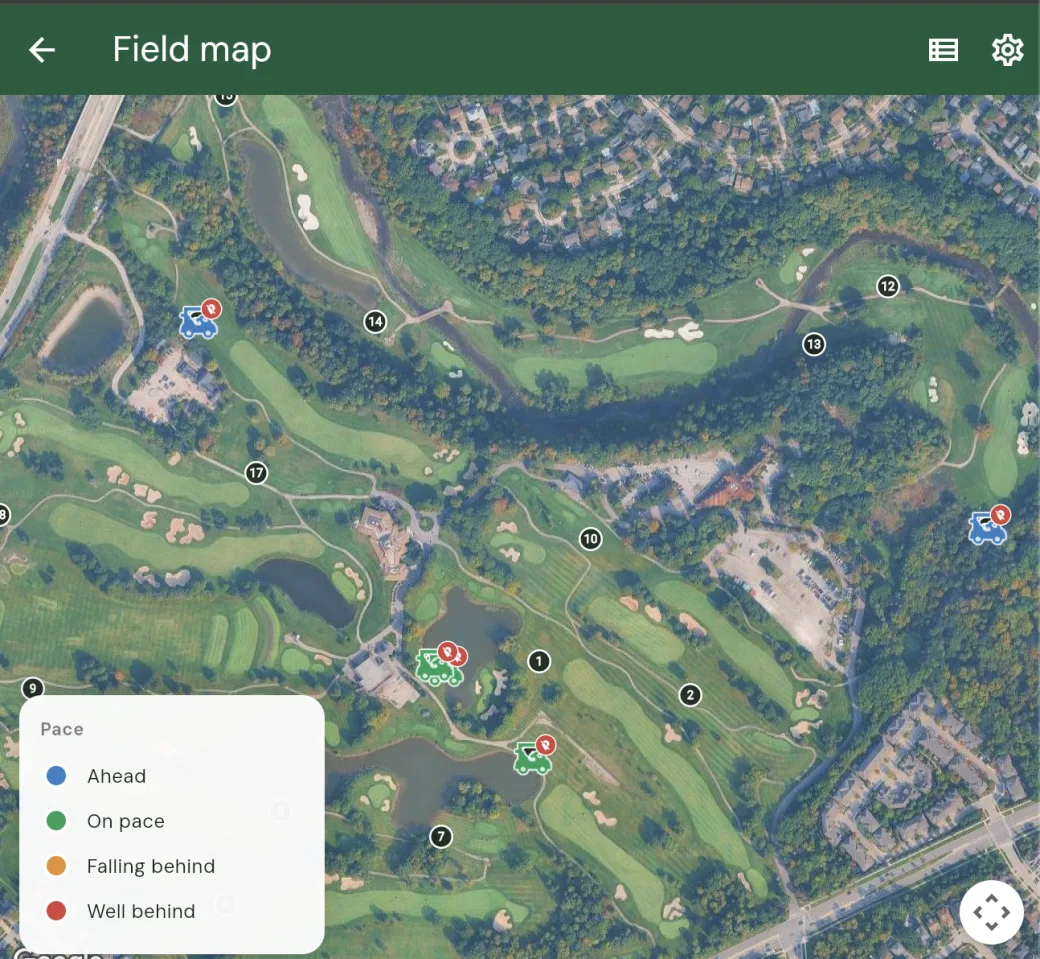
What it shows
The map plots each group out on the course, so you can see the field spread across the holes in one view. Tap a group to see more about it, such as which hole it is on and how its round is progressing. It is the quickest way to answer “where is everyone?” during an event.
See the whole field as a list
Alongside the map there is a Groups list that lays out every group in a single scannable view. Tap the list icon in the top bar to open it. Each row shows the group’s players, the hole they are on, whether they are ahead of or behind pace, their tee time, how long they have been out, and how many holes they have played.
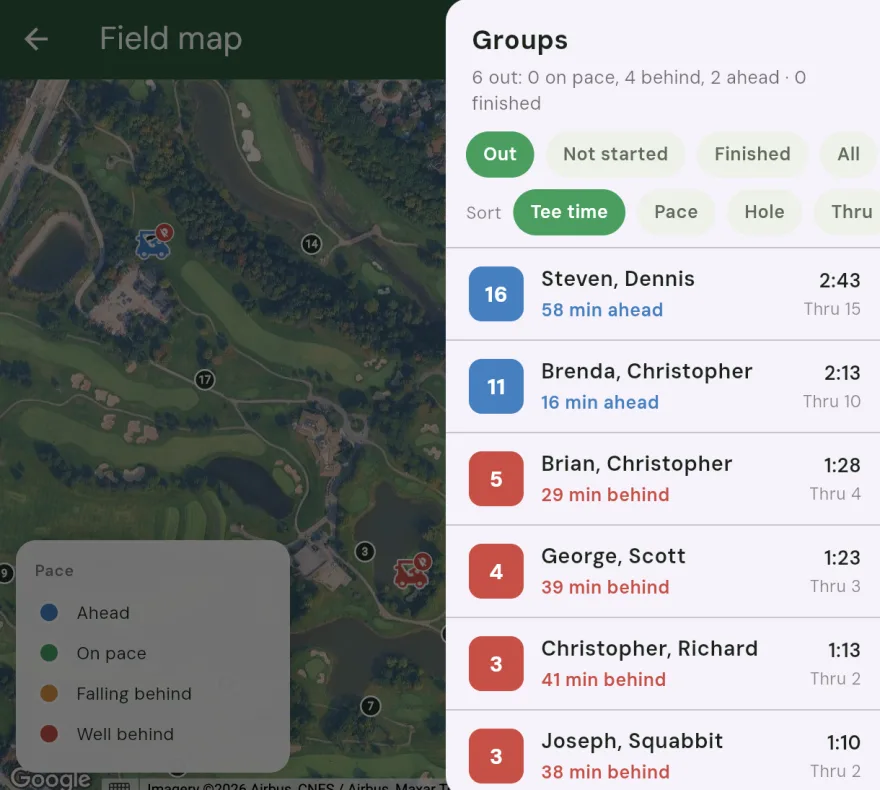
A summary at the top tells you how the field is doing at a glance: how many groups are out, on pace, behind, ahead, and finished. You can filter the list to groups that are out on the course, not started, finished, or all of them, and sort by tee time, pace, hole, or holes played. Sorting by pace is a quick way to surface the groups that are falling behind. Tap any group to open its details, the same as tapping it on the map.
On a wide screen the list slides in beside the map. On a phone it opens as its own full page so there is room for everything.
It updates in real time
You do not have to refresh anything. As players move around the course and enter their scores, the map keeps itself up to date, so what you are looking at reflects where the field actually is right now.
Players share their location, with their consent
Players appear on the map because they have chosen to share their location with you. When a player opens their scorecard in a tournament that has the Pace map turned on, Squabbit asks them once whether they want to share their location with the organizer. If they agree, their group shows up on your map; if they decline, they simply are not plotted. Nobody is tracked without opting in.
It is for admins
The Pace map is an admin tool. Players see the normal scoring experience; only admins get the top-down view of the whole field. That keeps it a behind-the-scenes aid for whoever is running the event, not something the field is watching.
Where to find it
Open your tournament and go to the Schedule tab. For admins there is a Pace map option alongside the other schedule views – tap it to open the live map. The option only appears for admins.
Unlocking the Pace map
The Pace map is part of Tournament Pro. Tournament Pro is available as a yearly subscription or as a one-time unlock for a single event, and it brings the Pace map along with the rest of the admin toolkit.