Your tournament website
Every Squabbit tournament can have its own public web page: a shareable link that anyone can open in a browser to follow along, without signing up or installing the app. It shows a live-updating leaderboard, so as your players enter scores, everyone watching sees the standings change in real time.
It’s the easiest way to share your event with spectators, family back home, and anyone who wants to keep an eye on the scores.
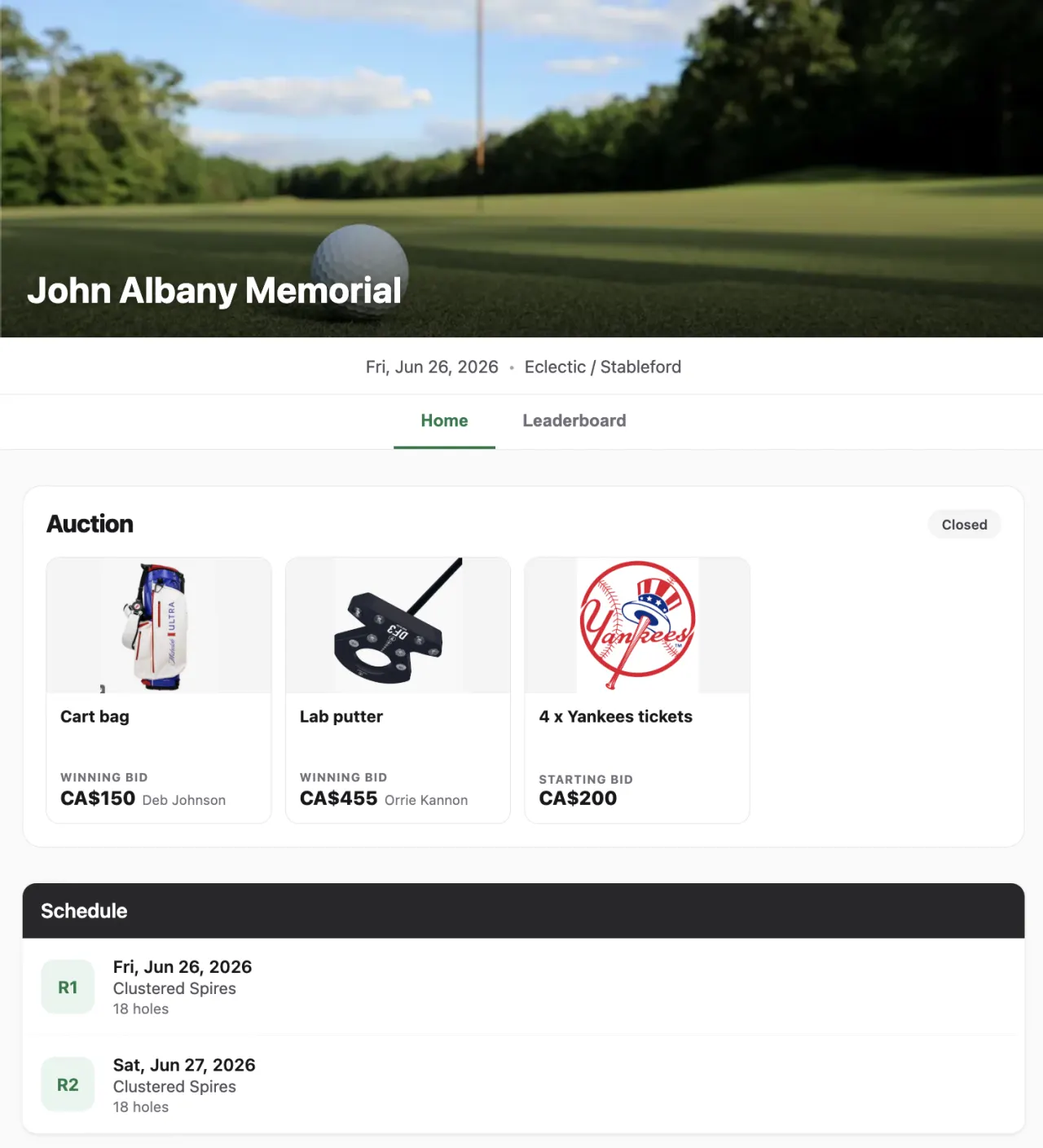
What your tournament website shows
The website works like a landing page for your event. Visitors don’t need a Squabbit account. They just open the link. On the page they can see:
- A live leaderboard that updates automatically as scores come in, so spectators are never looking at a stale result.
- Your event details (the tournament name, the schedule, and the other tabs from your event), so visitors can find their way around.
- A register button for anyone who wants to join. Tapping it lets them sign up and add themselves, right from the browser.
Turning it on
Open your tournament, tap the gear icon to open settings, and go to the tab. Find the section and tap HTML website.
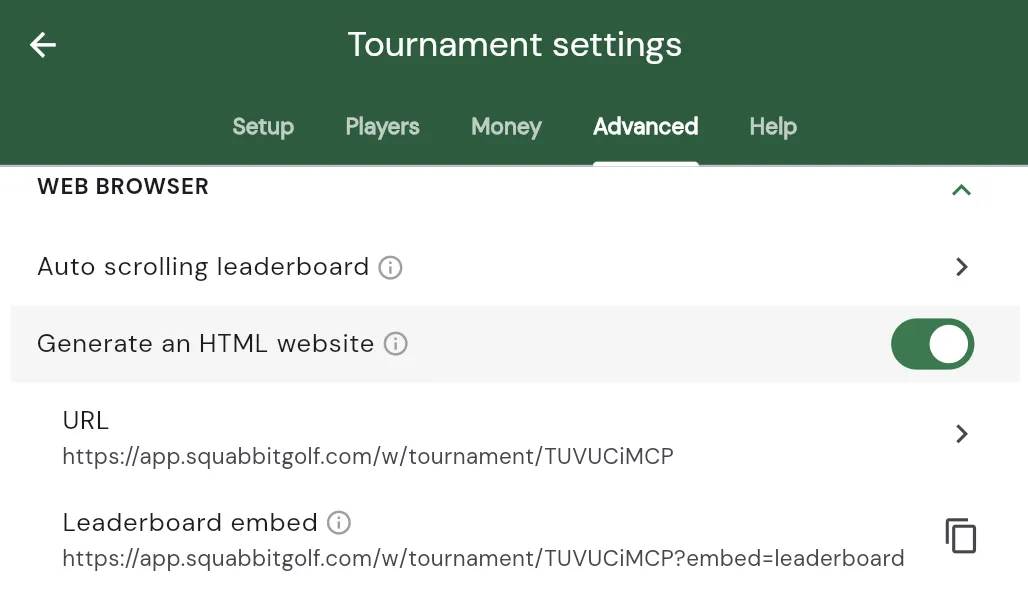
That opens your event’s website settings, where you turn the site on and see its shareable URL. That’s your website. Your link looks like this, with your own tournament’s ID on the end:
https://app.squabbitgolf.com/w/tournament/<your-tournament-id>
Sharing the link
Tap the URL on the HTML website screen: it copies the link to your clipboard and opens the page so you can see exactly what your spectators will see. Paste that link anywhere: a group text, an email, a WhatsApp thread, or your club’s social media.
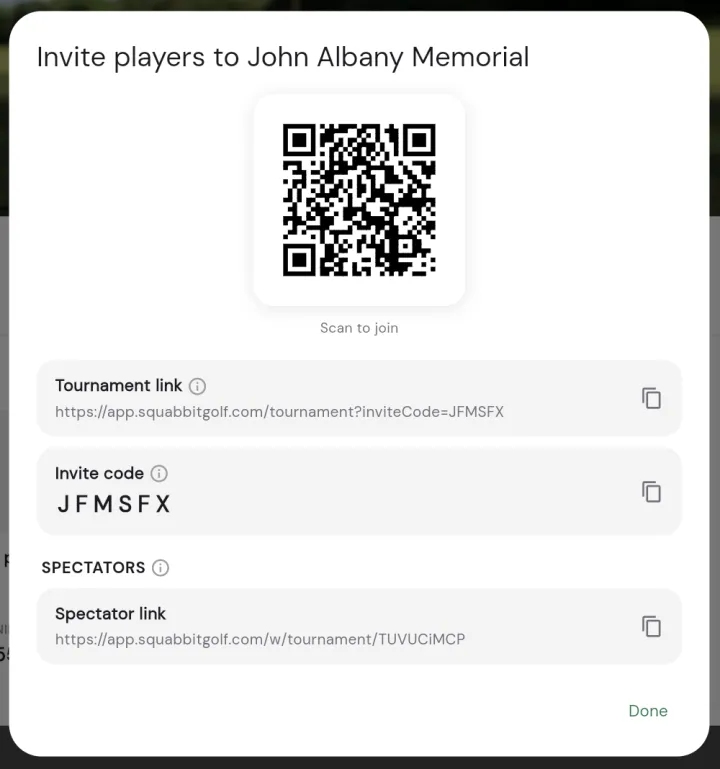
You can also grab the link from the invite dialog. When you invite players, the share sheet includes a spectator link alongside the invite code, and that spectator link is your tournament website. Copying it turns the website on automatically if it wasn’t already.
Embedding the leaderboard on your own site
If you run your own event website, you can drop the live leaderboard straight into it. With the website turned on, the section also shows a Leaderboard embed row. Tap it to copy a snippet of HTML, then paste that snippet into your own page wherever you want the leaderboard to appear. It updates on its own as scores come in, just like the full page does.
That’s all there is to it: turn it on, share the link, and let everyone follow the action live.