Scheduled Announcements
Scheduled Announcements is a League Pro feature that controls when your members are notified about an event. You can publish an event now but have Squabbit announce it to your members later, on a schedule you choose, instead of notifying everyone the moment it goes live.
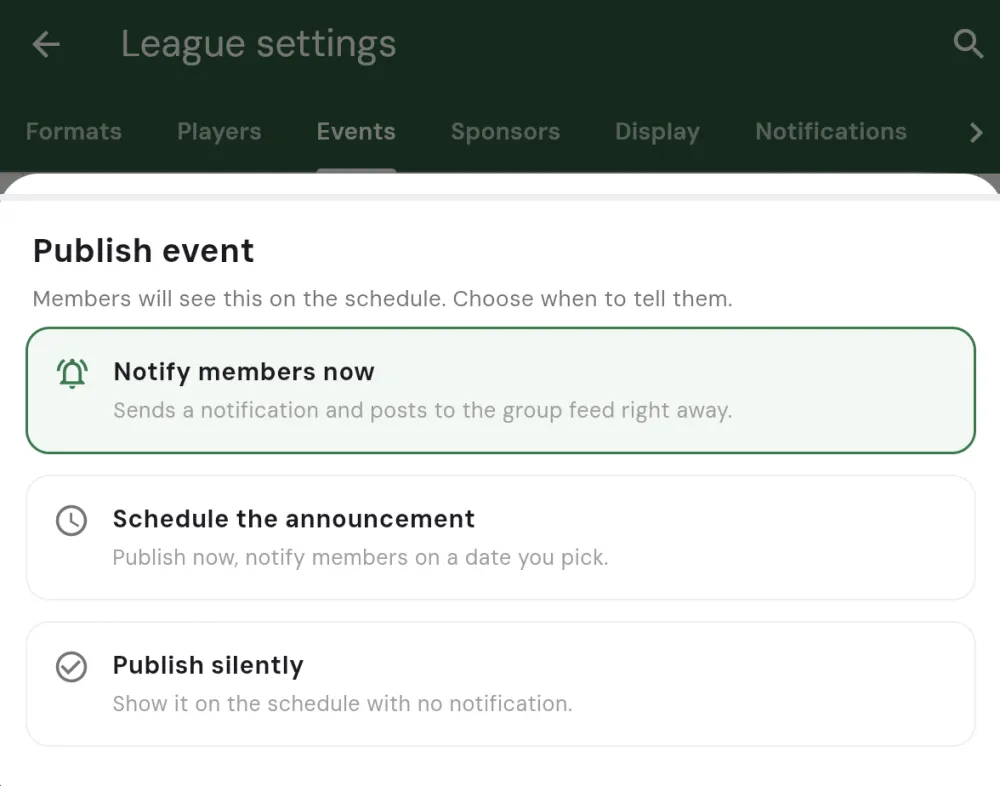
Why use it
Publishing an event and announcing it to your members don’t have to happen at the same time. You might set up and publish several events well ahead of the season, but you don’t want members getting a stack of notifications all at once. Scheduling the announcements spaces them out, so each event is announced closer to when it’s actually played.
It also keeps your league feeling active without any weekly effort from you: line the announcements up once, and members hear about each event right on cue.
How it works
When you publish an event, choose Schedule the announcement instead of notifying members straight away. The event goes live now, but the announcement to your members is held until the time you pick.
For a run of events, you can schedule announcements in bulk from the Events tab. Each announcement is then sent a set number of days before its own event date, so a whole season of events can each announce themselves at, say, three days out, automatically. A scheduled announcement simply waits until its time arrives, and you can cancel a pending one beforehand if plans change.
Unlocking Scheduled Announcements
Scheduled Announcements is part of League Pro. A single subscription unlocks it for every league you run, so there’s no need to buy it separately for each one.